The Wi-Fi Mistake Millions of Travelers Make — And How to Stay Safe
The moment you land in a new country, finding Wi-Fi often feels as urgent as finding your luggage. But a new report reveals that most travelers are making a simple — and potentially costly — mistake every time they connect.
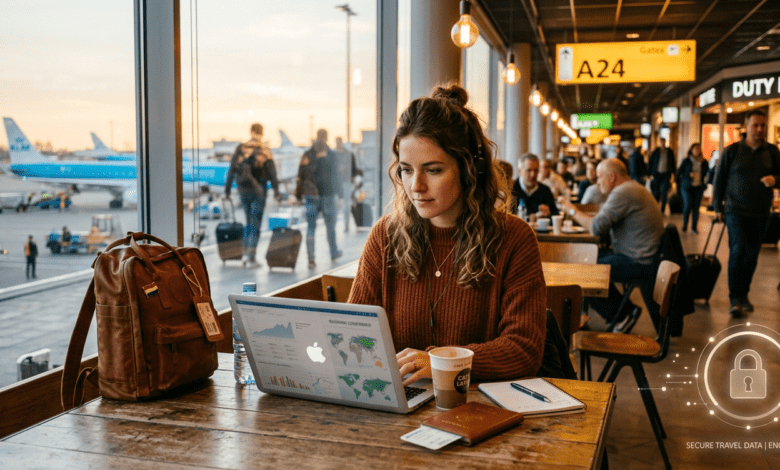
Whether you need to pull up Google Maps, message your family that you’ve landed safely, or answer a work email, public Wi-Fi feels like a lifeline when you’re abroad. The problem? According to a 2026 McAfee report on travel scam experiences and digital behaviour, 63% of travellers are putting their personal information at risk every time they log on to a public network.
We spoke with Jordan Rae Kelly, Senior Managing Director and Head of Cybersecurity for the Americas at FTI Consulting, to understand the real risks — and exactly what you can do to protect yourself.
📊 By the numbers
63%
of travellers are putting themselves at risk by using public Wi-Fi, according to McAfee’s 2026 travel safety report.
The real risks of using public Wi-Fi
“Public Wi-Fi isn’t a cybersecurity nightmare, but it’s also not without risk,” Kelly says. “The threat has evolved from sophisticated hackers intercepting network traffic to everyday hackers tricking travellers into handing over their information.”
Today’s attacks, she explains, typically take three forms:
- Fake Wi-Fi networks — hotspots that mimic legitimate ones (e.g. “Airport_Free_WiFi” vs. “AirportFreeWifi”)
- Fake login pages — pages that look like a hotel or café portal but are designed to harvest your credentials
- Fake security warnings — pop-ups urging you to install an “update” that is actually malware
“Modern attackers are less interested in breaking into your device and more interested in convincing you to give them your password,” Kelly says.
The consequences can snowball quickly. If an attacker gains access to your email account — what Kelly calls a “crown jewel” — they can trigger password resets across dozens of other accounts. For business travellers, the stakes are even higher.
“Once an attacker controls your email, they can reset passwords for many other accounts. Business travellers are attractive targets because one stolen corporate login can unlock an entire organisation.” — Jordan Rae Kelly, FTI Consulting
How to tell if a Wi-Fi network is legitimate
You’ve just arrived at a café near your hotel and you want to get online. How do you know if the network you’re about to join is actually safe?
Kelly’s first tip is surprisingly simple: count the networks. “If there are multiple versions of a local network showing up on your phone, assume at least one of them was fraudulently created,” she says.
Her second recommendation is even more old-fashioned — just ask. “The safest approach is an old-fashioned one: ask an employee,” she says. “When in doubt, don’t blindly trust the network name. Verify it.”
Once you’re connected, stay alert for these red flags:
- A login page that requests more personal information than expected (e.g. your full name, passport number, or date of birth)
- A prompt asking you to download software or an update before you can access the internet
- Any security warning pop-up that appears immediately after connecting
“Never install software or updates that a public Wi-Fi network suddenly asks you to download,” Kelly warns. “If a login page is asking for more personal information than expected, that’s a red flag.”
What to do if you’ve already been compromised
If you suspect you’ve accidentally connected to a malicious network or handed over credentials on a suspicious page, speed is everything. Here’s what Kelly recommends doing immediately:
- Reset your email password first — it’s the master key to everything else
- Change passwords for any other accounts you may have accessed on that network
- Enable multi-factor authentication (MFA) on every account you can — this is the single most effective step you can take
- Don’t wait to see if the problem goes away on its own
“Changing passwords is important, but enabling multi-factor authentication is what often stops an attacker from turning a mistake into a breach,” Kelly says. “The faster you respond, the smaller the problem usually becomes.”
Practical tips before your next trip
The best time to protect yourself is before you land, not after. Here are a few steps worth taking ahead of any international travel:
- ✅ Enable MFA on your email, banking, and work accounts now — before you travel
- ✅ Use a VPN (Virtual Private Network) to encrypt your connection on any public network
- ✅ Check your mobile plan — paying for international data is often cheaper than the cost of a security breach
- ✅ Turn off auto-connect on your phone so it doesn’t join unknown networks without your knowledge
- ✅ Use your phone’s hotspot instead of public Wi-Fi wherever possible
Public Wi-Fi isn’t going away, and avoiding it entirely while travelling is rarely realistic. But understanding how the risks actually work — and taking a few minutes to verify before you connect — can make an enormous difference to your safety while abroad.